
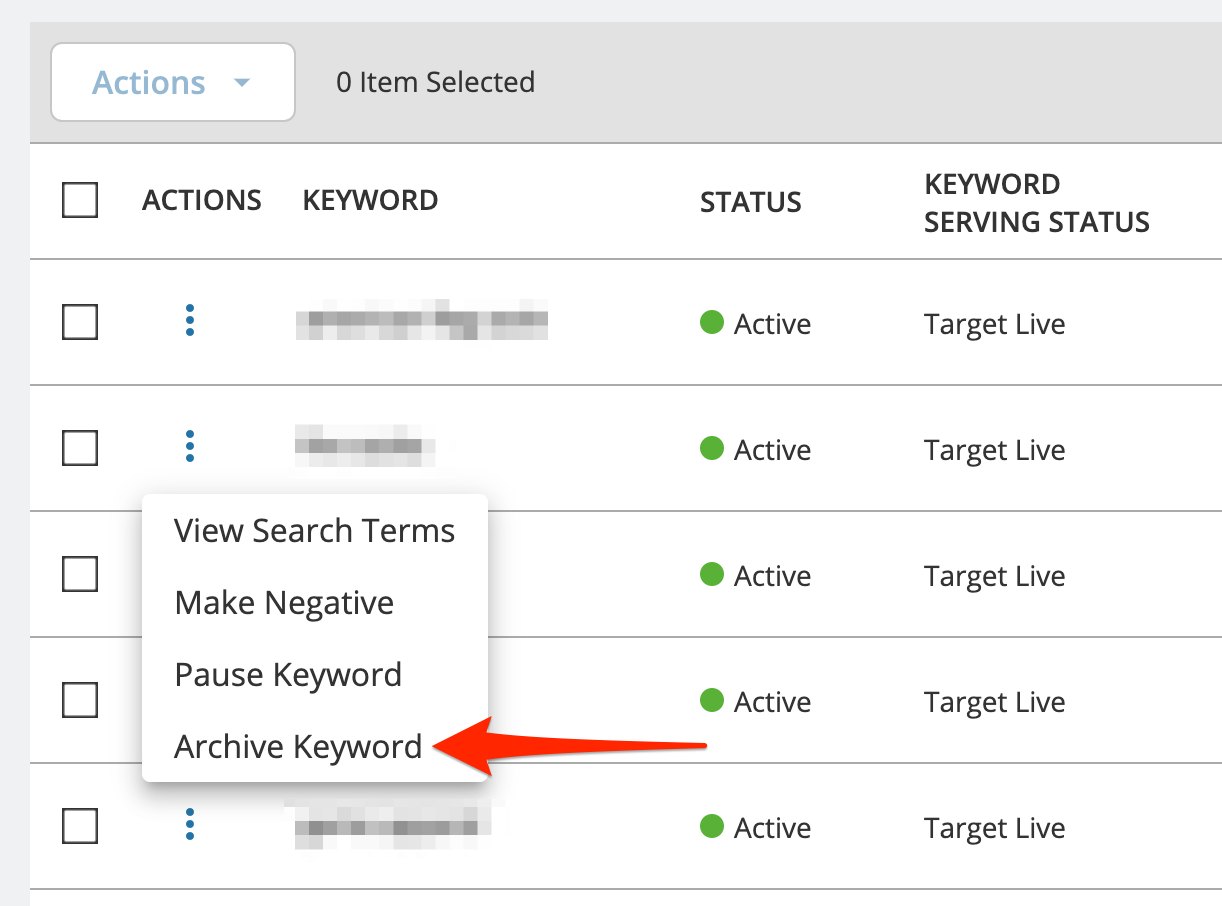
To remove a keyword from a campaign, you will simply click the three dots under Actions, and from the dropdown menu select Archive Keyword. This will remove this keyword from your campaign. Please keep in mind that this cannot be undone. Once a keyword is archived, you will need to manually add it again if you want it in your campaign in the future.
*Note – Green = Active, Red = Paused, Grey = Archived
Need help? Our support team is happy to assist you! 🙂
-
Connect via the in-app chat icon, located in the bottom-right of your screen while logged into any of our apps
-
Search the Knowledge Base to see if your question has already been answered
-
Make an appointment with us for more direct support
*No Credit Card Needed