
This feature is one that you can turn on or off for each campaign you run. We’ve written a help article that will walk you through the necessary steps required to start automatically accepting your Suggestions.
Enjoy the time savings! 😉
Click on Suggestions from the hamburger menu in the upper left corner under Ad Genius:

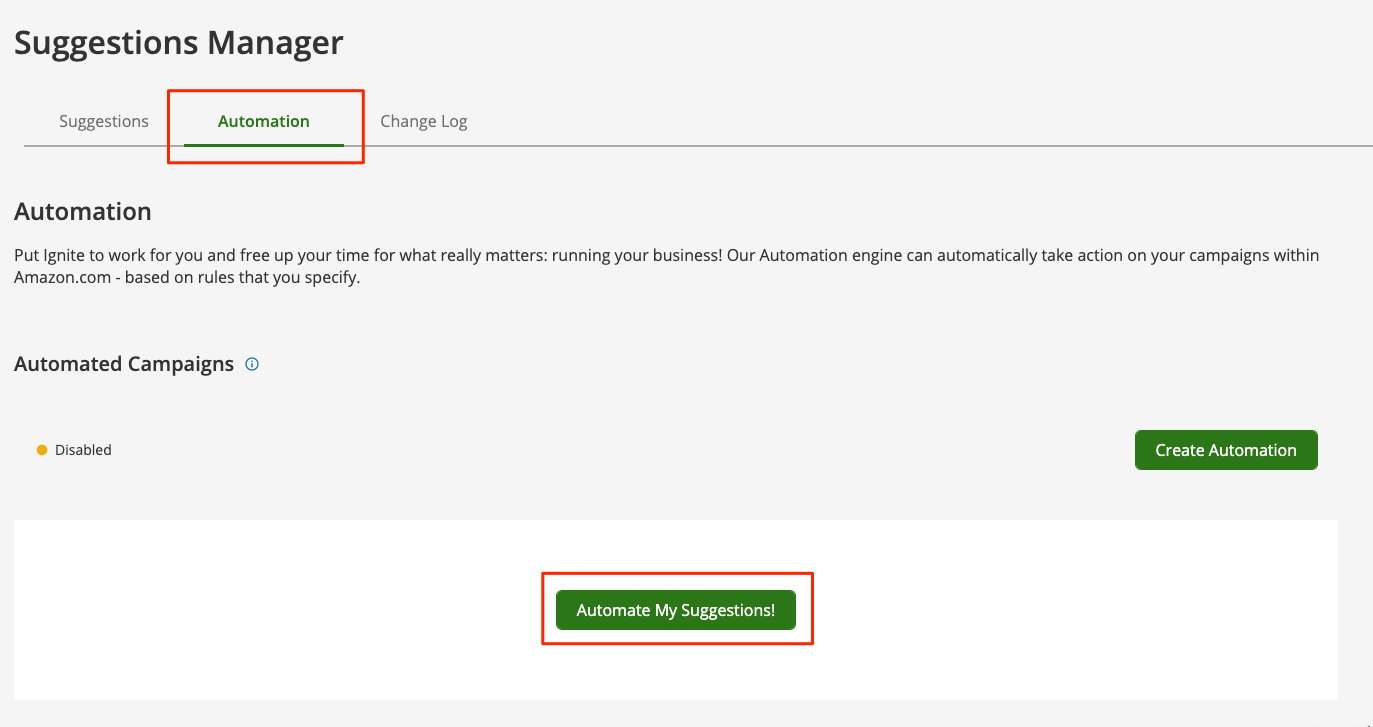
Then click on the Automation tab. And create your first automated campaign by clicking “Automate My Suggestions!“:
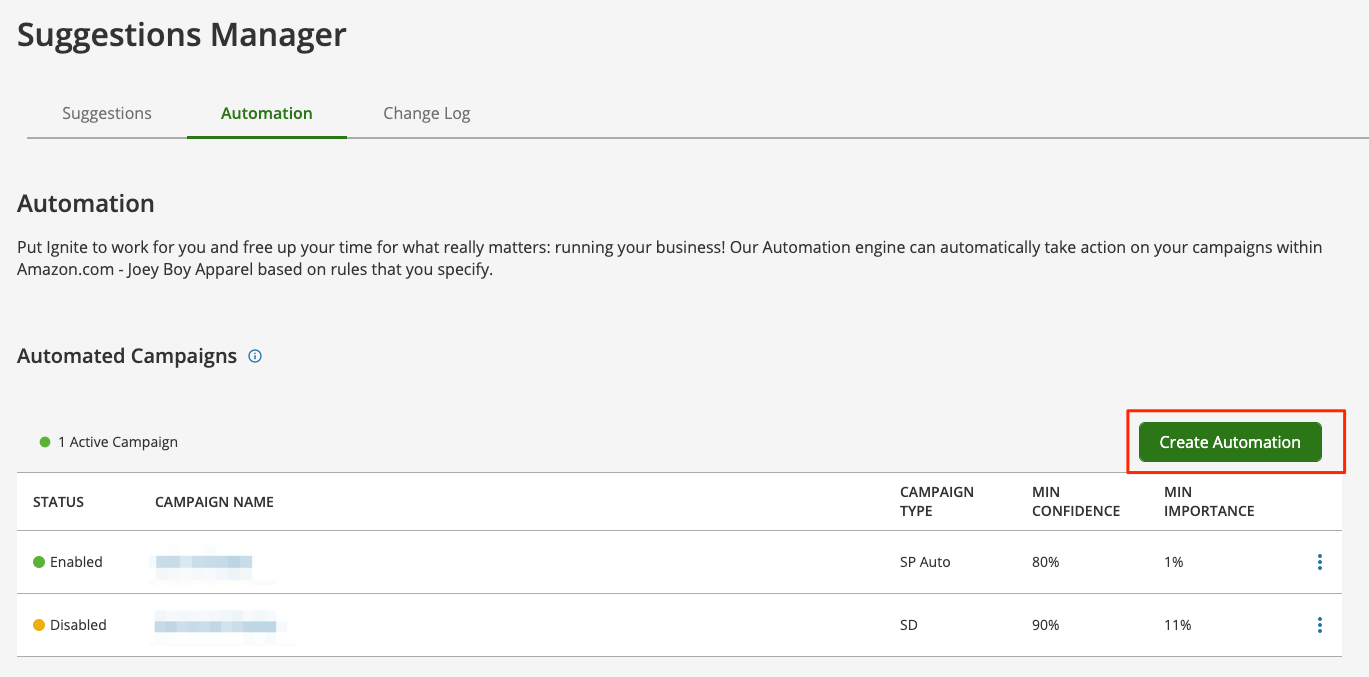
If you already have a few created, and would like to create a new one click “Create Automation“:
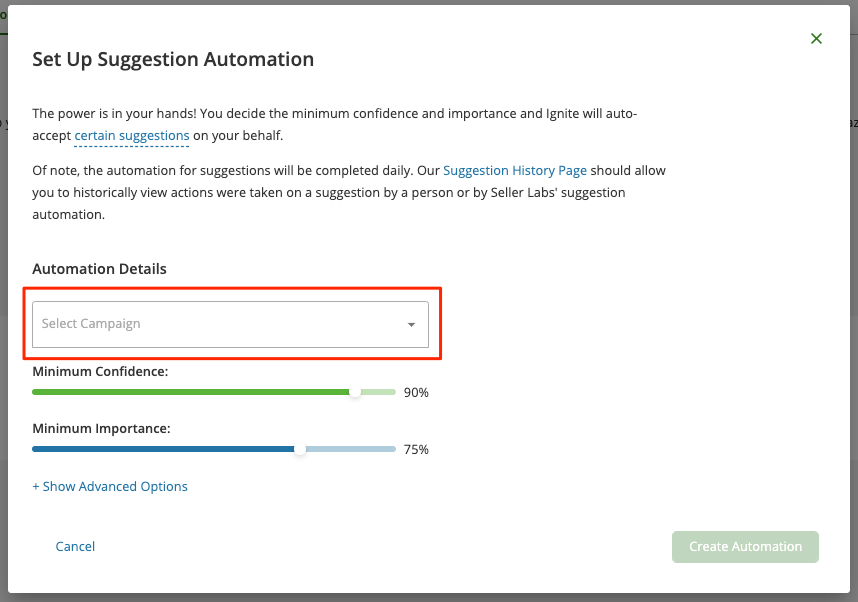
Search for and select a Campaign to Automate:
Set Importance, Confidence, and Advanced Settings:
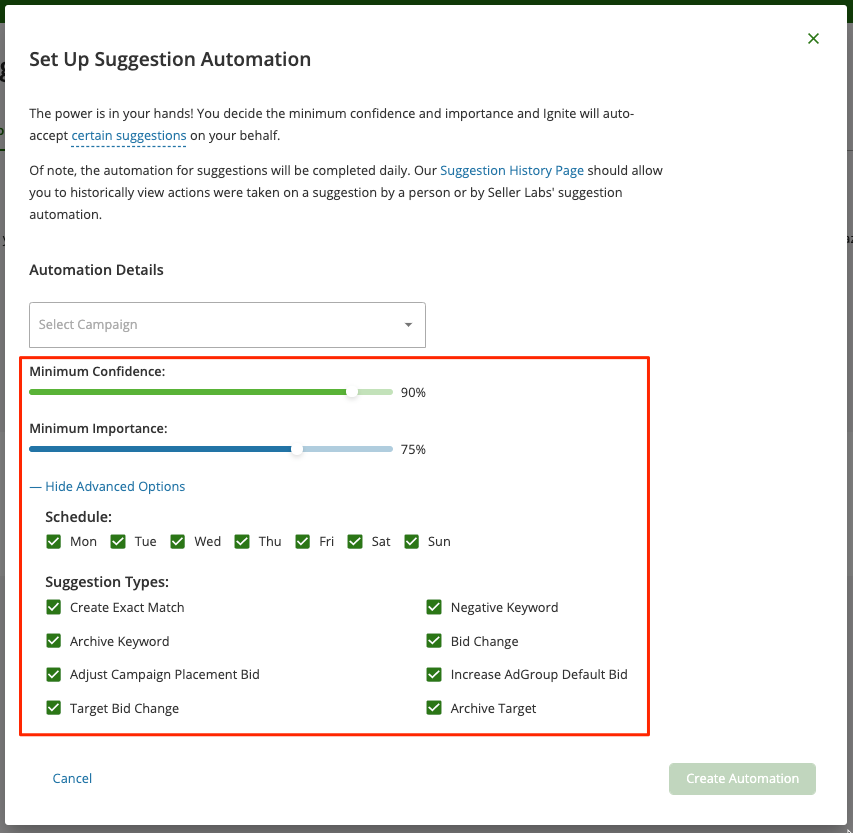
To save click on Create Automation.
Need help? Our support team is happy to assist you! 🙂
-
Connect via the in-app chat icon, located in the bottom-right of your screen while logged into any of our apps
-
Search the Knowledge Base to see if your question has already been answered
-
Make an appointment with us for more direct support
*No Credit Card Needed